Platform
How one core holds thirty-five modules
Not thirty-five products with connectors between them. Application behaviour is defined in metadata over a single database, so a module is a set of definitions rather than a codebase — which is why adding one is a description rather than a project.
Architecture
One engine, many declarations
Every module you saw on the solutions page runs on the same executable and the same schema. What differs between Human Resources and Manufacturing is metadata, not code.
That is also the honest limitation: because behaviour is declared rather than coded, what the platform can express is what the metadata can express. Where a process needs something outside that, it is a code change to the core — which under a Tier 2 licence is source you hold.
Anatomy
What a screen actually is
A screen is a list of typed fields, the relationships between them, the states a record may move through, and what happens on each move. All four are data.
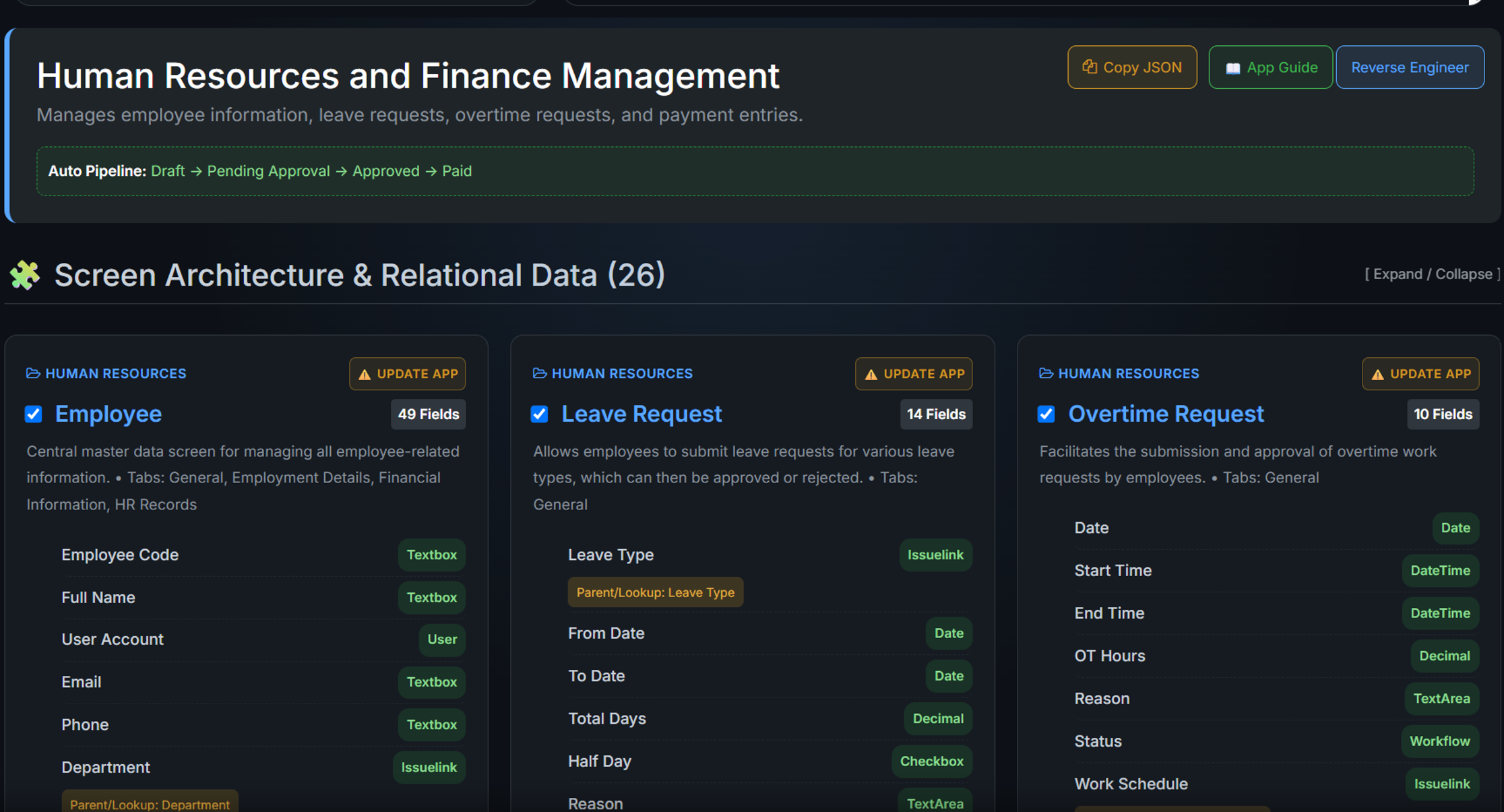
Workflow
The states are drawn, not programmed
Two applications on the same engine. Neither of these is a picture of a process drawn for a slide — it is the process itself: the states a record may hold, the moves allowed between them, and what each move is called. Changing it is a configuration change, not a release.
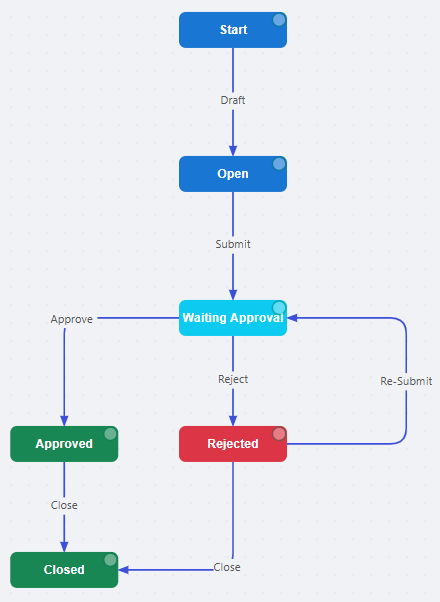
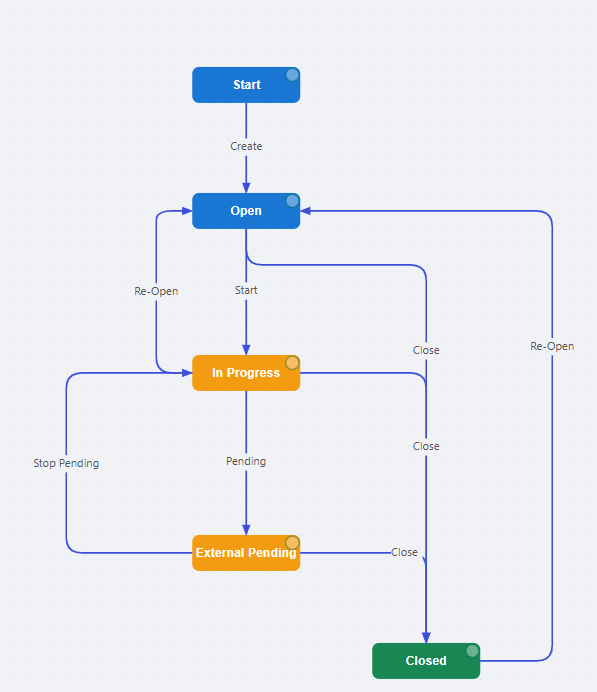
Both are screens in the built catalogue, exported from the running application rather than redrawn for this page.
Extending it
A new module is a description, reviewed before it is built
Because a module is metadata, producing one is a matter of writing the metadata. That is the job the AI does — and it proposes rather than acts.
Describe
The AI acts as a business analyst and deduces the requirements you did not state.
Review
It proposes the screens it heard — and the ones you forgot — and waits for approval.
Deploy
Screens, fields, relationships and workflows are created on your server.
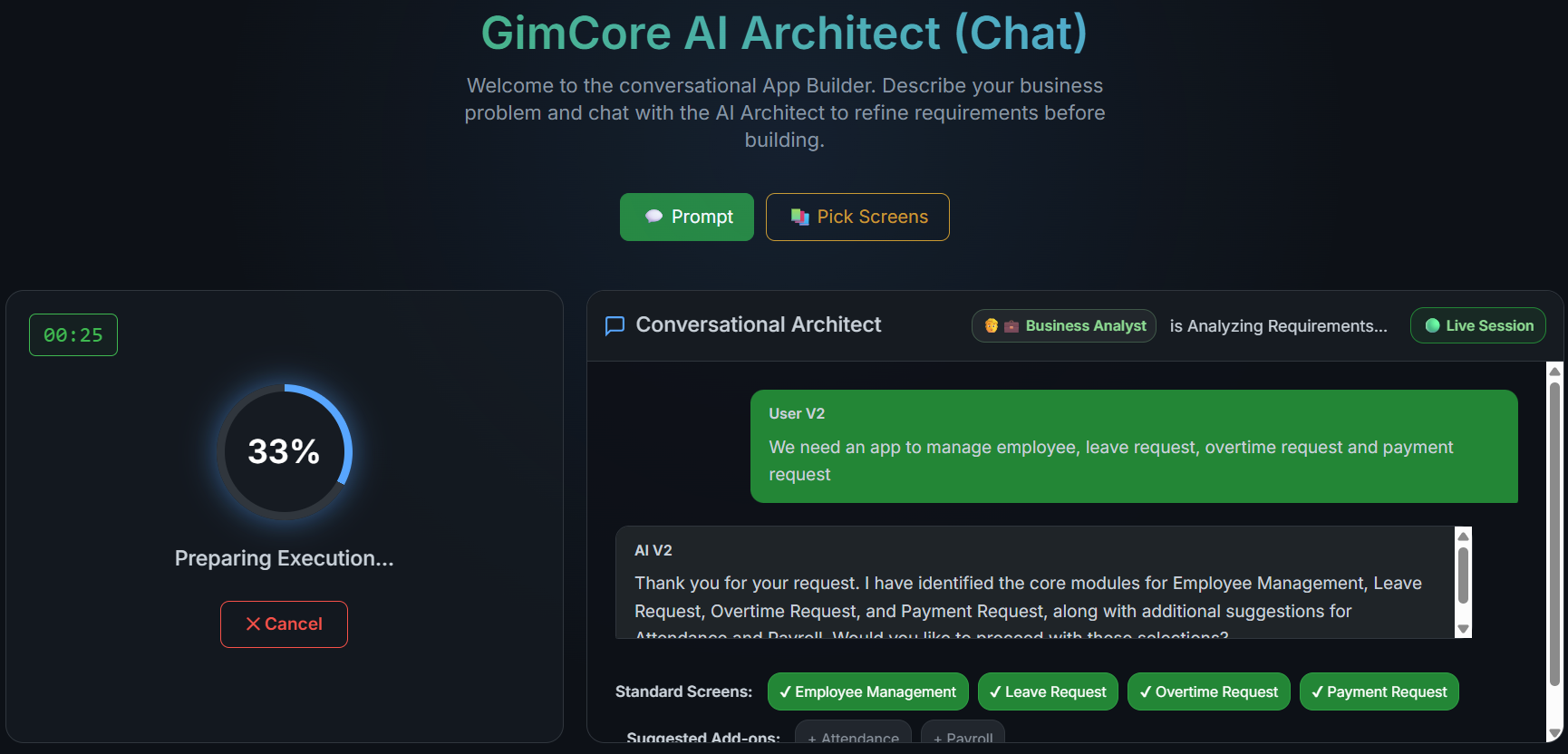
Under 15 minutes from written requirement to live application is a product specification, verifiable in a supervised evaluation — not a measured average.
Reporting
Reports are part of the platform
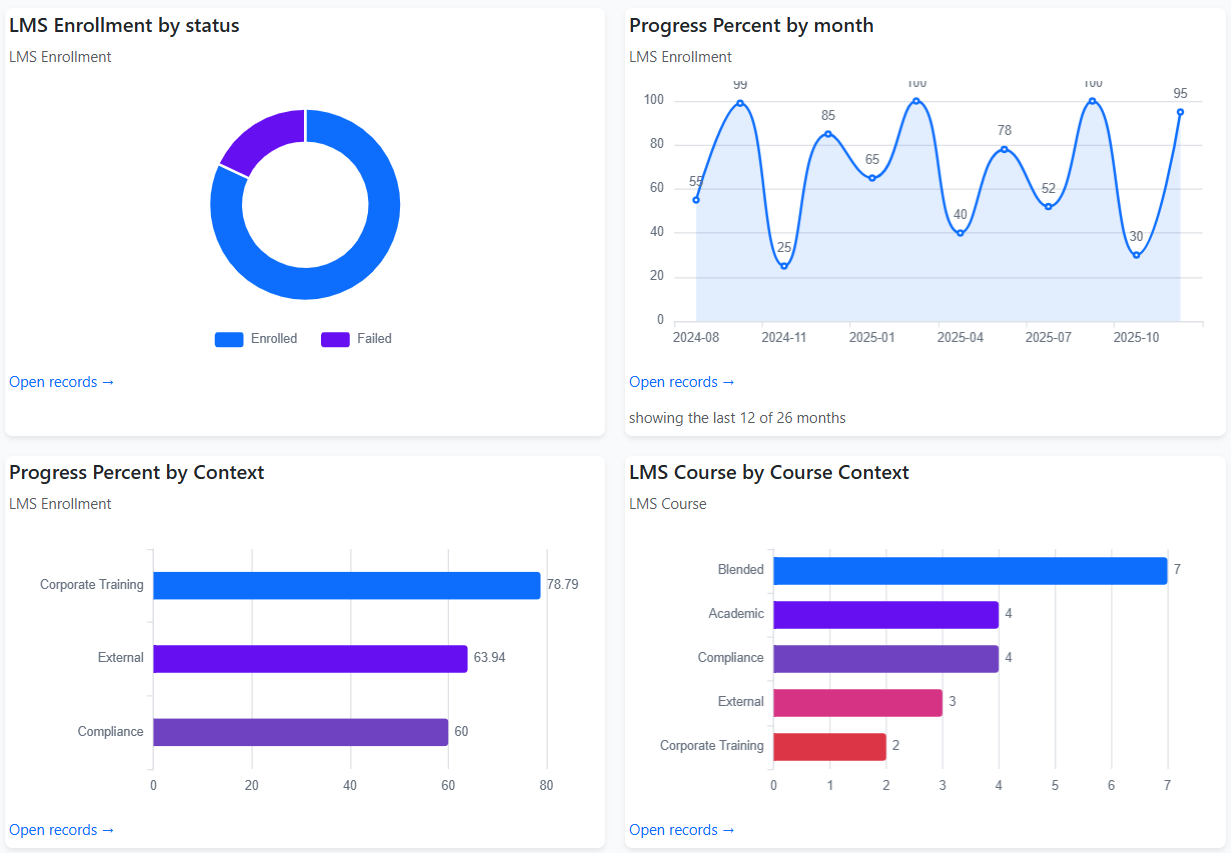
Filters, KPI tiles, charts and scheduled reports are declared the same way screens are, over the same records. There is no extract, no warehouse and no second product to license.
- Live records — a chart opens the rows it was drawn from
- Same permissions — a report cannot show what the user could not open
- 100,000+ records at 60 fps — product specification, verifiable on your data
At that volume
A hundred thousand records, drawn in the browser
Neither of these is a third-party control dropped into the page — both are written for GimCore and shipped with it. The same volume, drawn two completely different ways, because one view holding up says less than the platform holding up.
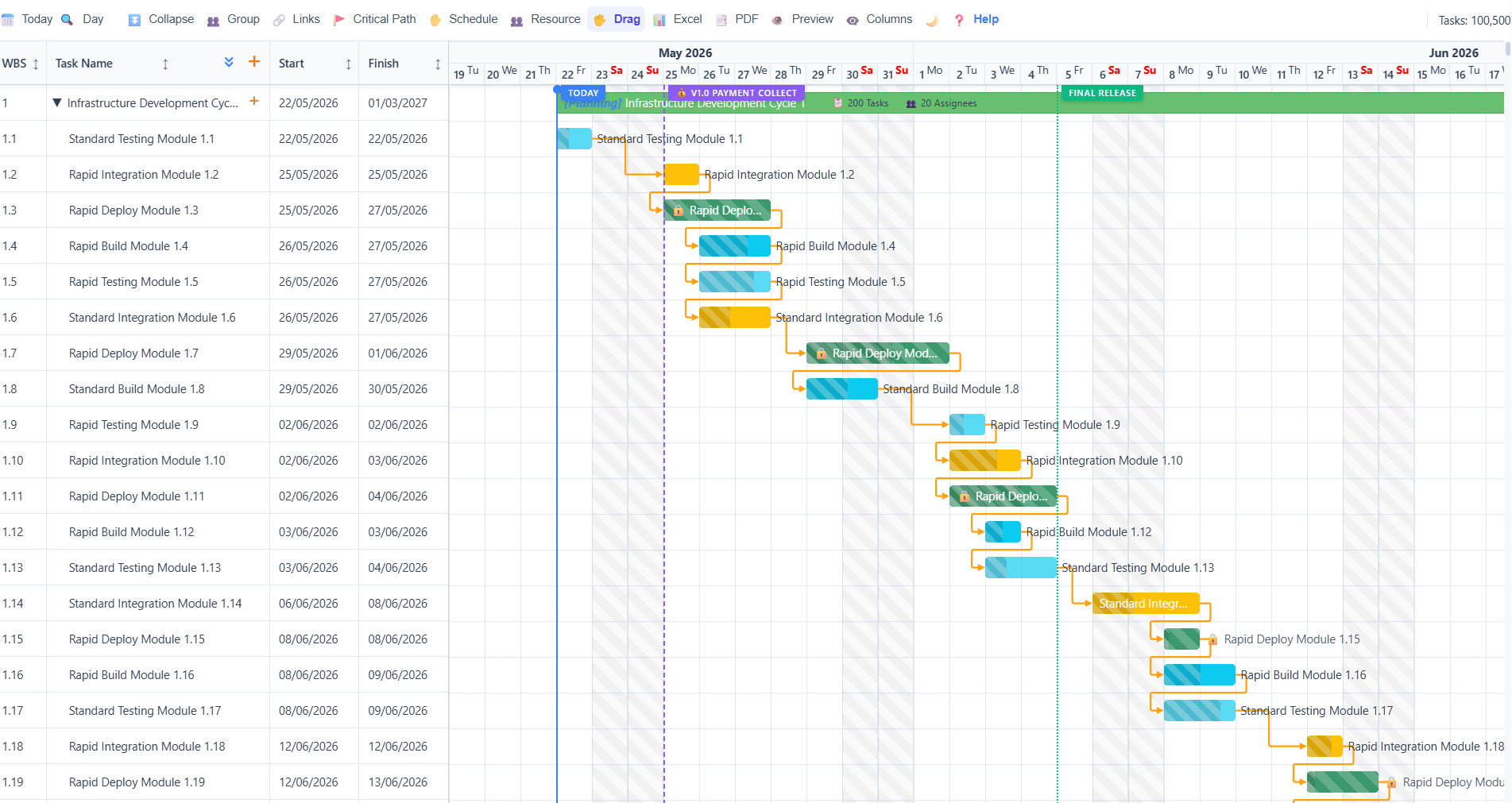
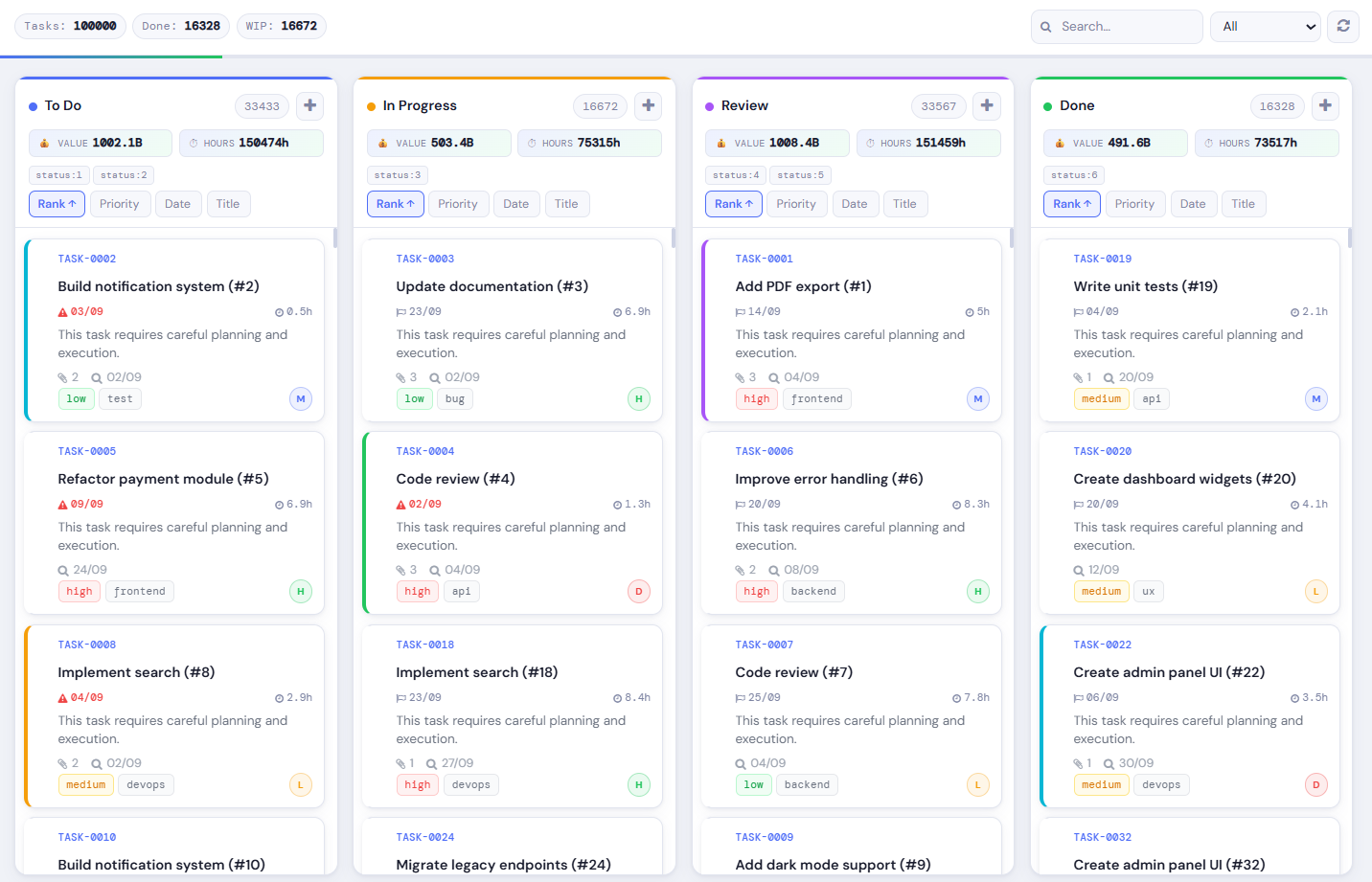
Generated records, and a rendering measurement in both cases: it shows the view holds at that volume, not that a server delivered them in one request.
Measured on the two components GimCore renders its timelines and boards with, driven directly. Week 3 of an evaluation runs the same volume through the whole path — server, permissions and all — on one of your own data sets, which is the version of this figure that should convince you.
Where it breaks
We built a screen with six million rows to find the ceiling
Not to advertise it — to find out where the current design stops being adequate, and to fix that before a customer meets it. The rig holds 6,032,023 records on a single screen, which is 208× larger than the largest screen anyone actually runs.
| Driven through the application, signed in, with a filter applied | A real screen 28,924 records | The rig 6,032,023 records |
|---|---|---|
| Column counts and totals for the whole board | 161 ms | 4.9–5.4 s |
| First 100 cards of a column | 168–610 ms | 32 ms – 3.8 s |
Measured 2026-08-28, timed in the browser rather than in SQL, so the figures include the round
trip and the render. The hardware, because a timing without it is not a measurement: a
laptop — Intel i7-12700H, 14 cores, 64 GB, SSD, SQL Server 2019 Standard, database on the
same machine as the browser. That cuts both ways: a laptop throttles where a server does not,
and there is no network between the two halves where a real deployment has one. At the size every real screen actually is, a
board answers in under a second. The six-million column is what a stress rig is for: it is
where the remaining cost shows, and it is the reason the loading path was redesigned rather
than left to be discovered later.
Filtering at that volume, measured in the database rather than through the round
trip above: counting all 6,032,023 records takes about 0.58 s; counting a filtered
subset of 320,001 takes about 0.47 s; and the first hundred records under a filter
arrive in about 1.0 s — faster than the same page unfiltered, because a
filter narrows what the ordering has to consider. Three runs each, 2026-09-11, same laptop. The six-million-row table is 213 MB and
sits in memory, so these are not disk-bound figures.
And the part that matters more than the timings. The column totals are computed in the database, not summed from the cards on screen. Loading four more pages — 200 records to 600 — moved neither the header count nor the sum. A total derived from loaded rows would have grown with every scroll. Both were also checked against hand-written SQL on both databases, which is a different code path and a different instrument.
Deployment
What it runs on, and what is still in build
Stated as it is, because this is the section a technical buyer checks against the contract.
| Component | Today | Status |
|---|---|---|
| Database | Microsoft SQL Server | Primary and optimised |
| PostgreSQL | SQL Server today | Delivered on request, scoped per deployment |
| Single sign-on | OIDC — Entra ID, Google Workspace | Shipping |
| SAML 2.0 | OIDC today | Delivered on request |
| AI inference | Ollama or LM Studio, on your hardware | Shipping |
| Legacy data import | Import engine | Shipping |
| Record-creating chat agent | Creates, finds and summarises records; reads an attached document into one | Shipping |
Anything marked in build is not described anywhere on this site as though it ships today. The full claim register →
The next step
Bring one of your processes
A 30-day technical evaluation, on your infrastructure. We build one of your workflows live, and every claim above becomes a measurement on your own data.